Back to Blog
Travel
How to Add Motion Graphics to a Travel Vlog
Elevate your travel vlogs with motion graphics. Animated maps, text overlays, and transitions.
V
Vela Team
Published · September 13, 2026
Make Your Travel Vlogs Stand Out
Travel vlogs all start to look the same after a while. Adding motion graphics is how the best travel creators stand out. Animated maps, location titles, and smooth transitions turn a basic vlog into content people remember.
Motion Graphics That Work in Travel Vlogs
- Animated route maps — show your journey from city to city
- Location title cards — animated text with city name, country, and date
- Stat overlays — distance traveled, days on the road, budget spent
- Transition animations — smooth moves between locations
- Fun fact pop-ups — animated text bubbles with local facts
Adding Animated Maps
This is the biggest upgrade you can make. Use Vela to generate animated map segments — describe your route and style. Drop these between your location clips. It gives viewers context and makes the video feel professional.
Tips for Travel Vlog Motion Graphics
- Keep map animations under 5 seconds
- Match the color palette to your footage
- Use consistent text styles throughout
- Add location pins with a bounce effect
- Keep text overlays short — city name and country is enough
How it works
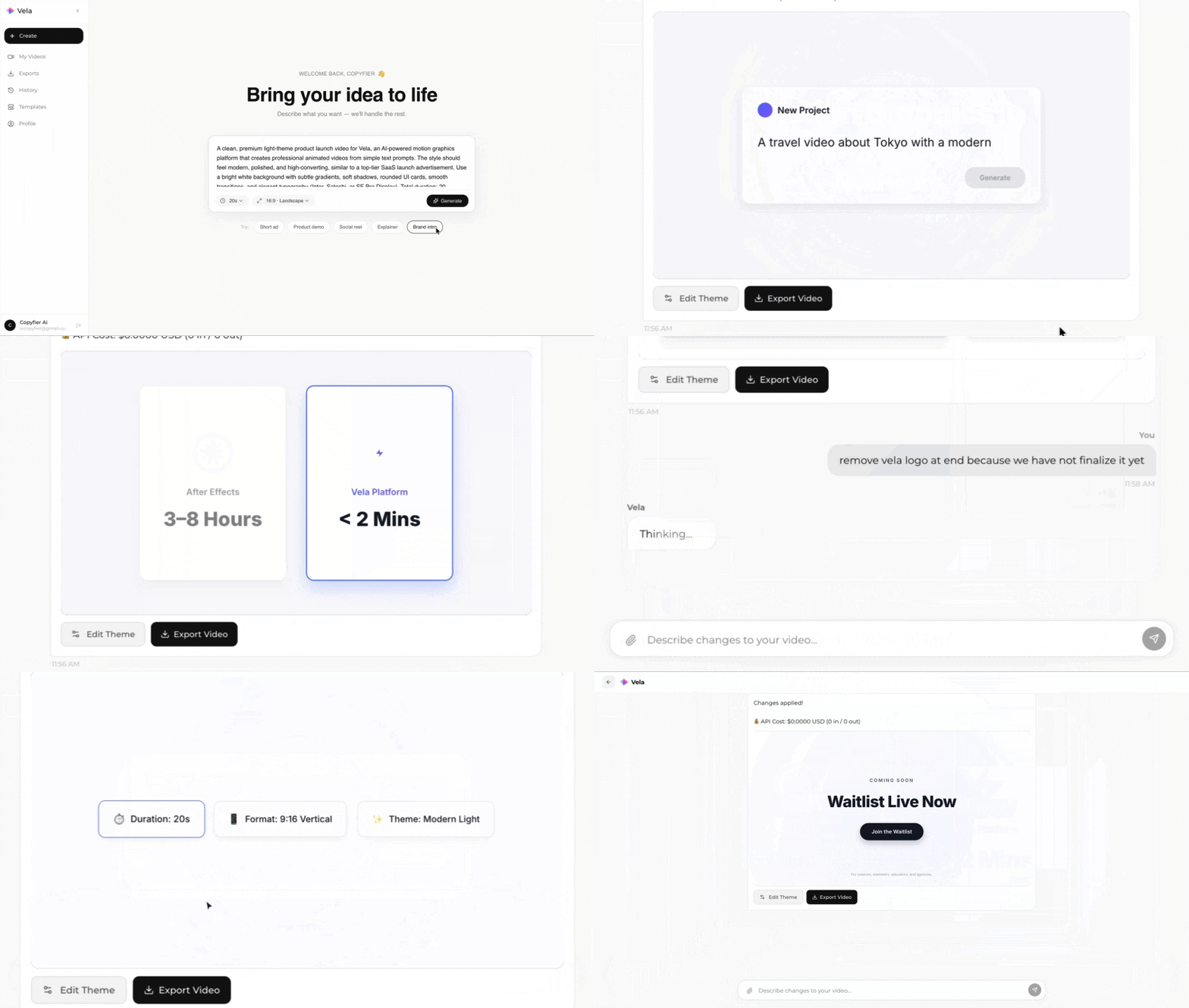
Type what you want. Vela creates the motion graphic. Refine by chatting.
Made with Vela
SaaS
SaaS Launch
Data Viz
Map Animation
Explainer
Explainer