Best Tools to Create Motion Graphics Without After Effects
Create motion graphics without After Effects. These tools make it easy and fast — no design skills needed.
Vela Team
Published · September 13, 2026
Create Motion Graphics Without After Effects
After Effects is the industry standard, but it is overkill for most people. These tools let you create professional motion graphics without the steep learning curve and high cost.
1. Vela — Easiest and Fastest
AI-powered motion graphics generator. Type what you want, get a professional animation. No keyframes, no timelines, no tutorials needed. The best option for anyone who is not a professional motion designer.
2. Canva Video
Template-based with simple animations. Quick and easy but limited to what the templates offer. Your videos will look like other Canva users' content.
3. CapCut
Free video editor with basic motion graphics. Great for social media content. Not as polished as Vela for pure motion graphics but solid for the price (free).
4. Rive
Interactive motion design tool. Great for web animations and app UI motion graphics. More technical than Vela but powerful for interactive content.
5. Cavalry
Procedural motion design tool. Powerful for data-driven and generative motion graphics. Steeper learning curve but unique capabilities.
How it works
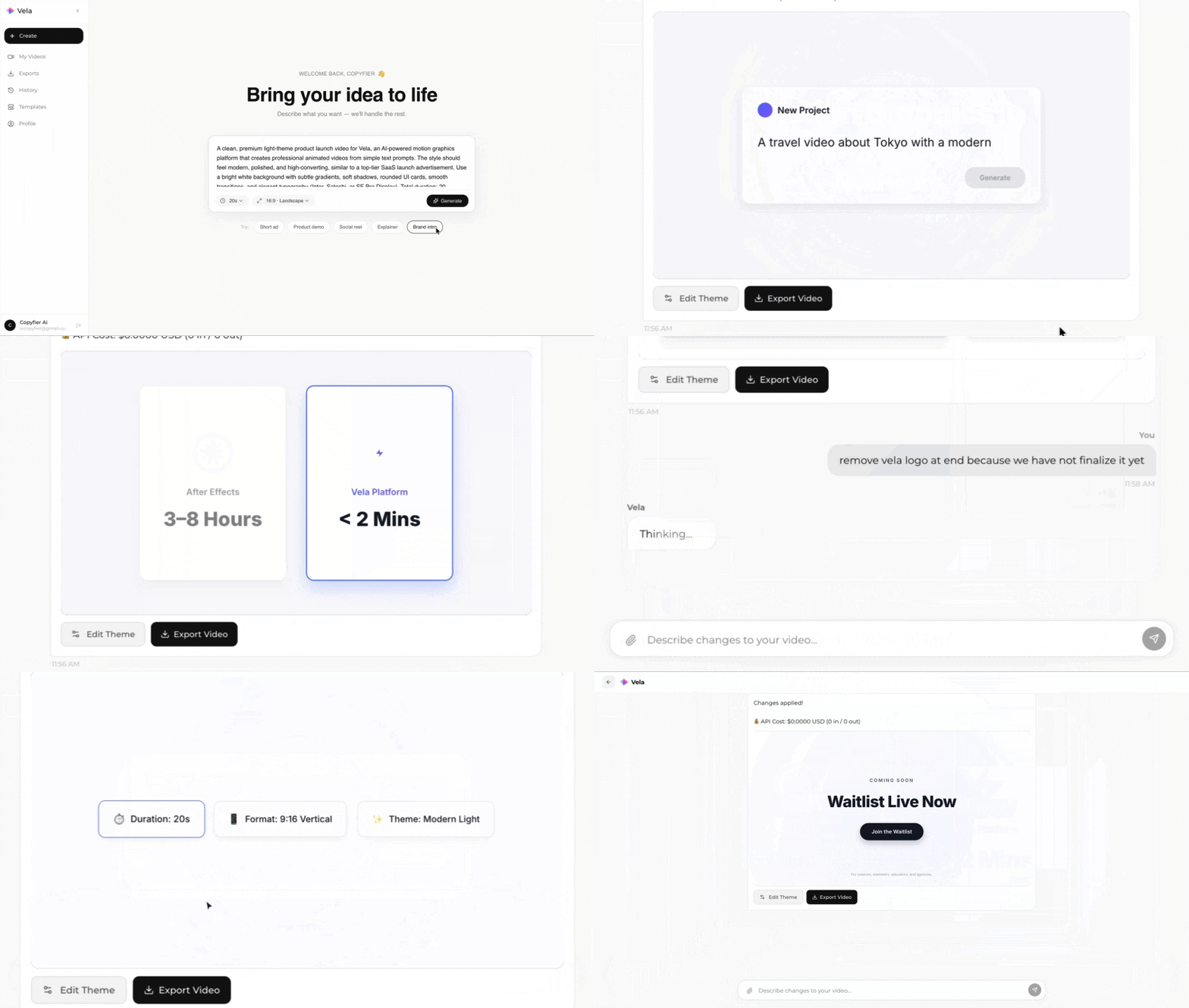
Type what you want. Vela creates the motion graphic. Refine by chatting.
Made with Vela
SaaS Launch
Map Animation
Explainer