Back to Blog
Educational
How to Create a Product Demo Video Without a Camera
No camera? No problem. Create professional product demo videos using motion graphics and AI.
V
Vela Team
Published · September 13, 2026
No Camera? No Problem.
Animated product demos often perform better than filmed ones because they focus on key features without distracting details. Motion graphics let you highlight exactly what you want viewers to see.
Why Animated Product Demos Work
- Focus on features — animate only what matters
- No filming logistics — no studio, lighting, or reshoots
- Easy to update — change a feature? Just re-generate that section
- Consistent quality — every demo looks equally polished
- Faster to produce — minutes vs days
Structure of a Great Product Demo
- Hook (0 to 3 seconds) — show the product name and a bold visual
- Problem (3 to 10 seconds) — the pain point your product solves
- Features (10 to 30 seconds) — animated walkthrough of key features
- Benefits (30 to 40 seconds) — what the user gets out of it
- CTA (40 to 45 seconds) — try it free, start now, etc.
Creating a Product Demo with AI
Describe your product and its key features in Vela. The AI generates an animated demo. Add your product screenshots or images. Refine the animation, colors, and messaging through chat. Export and share. No camera, no studio.
How it works
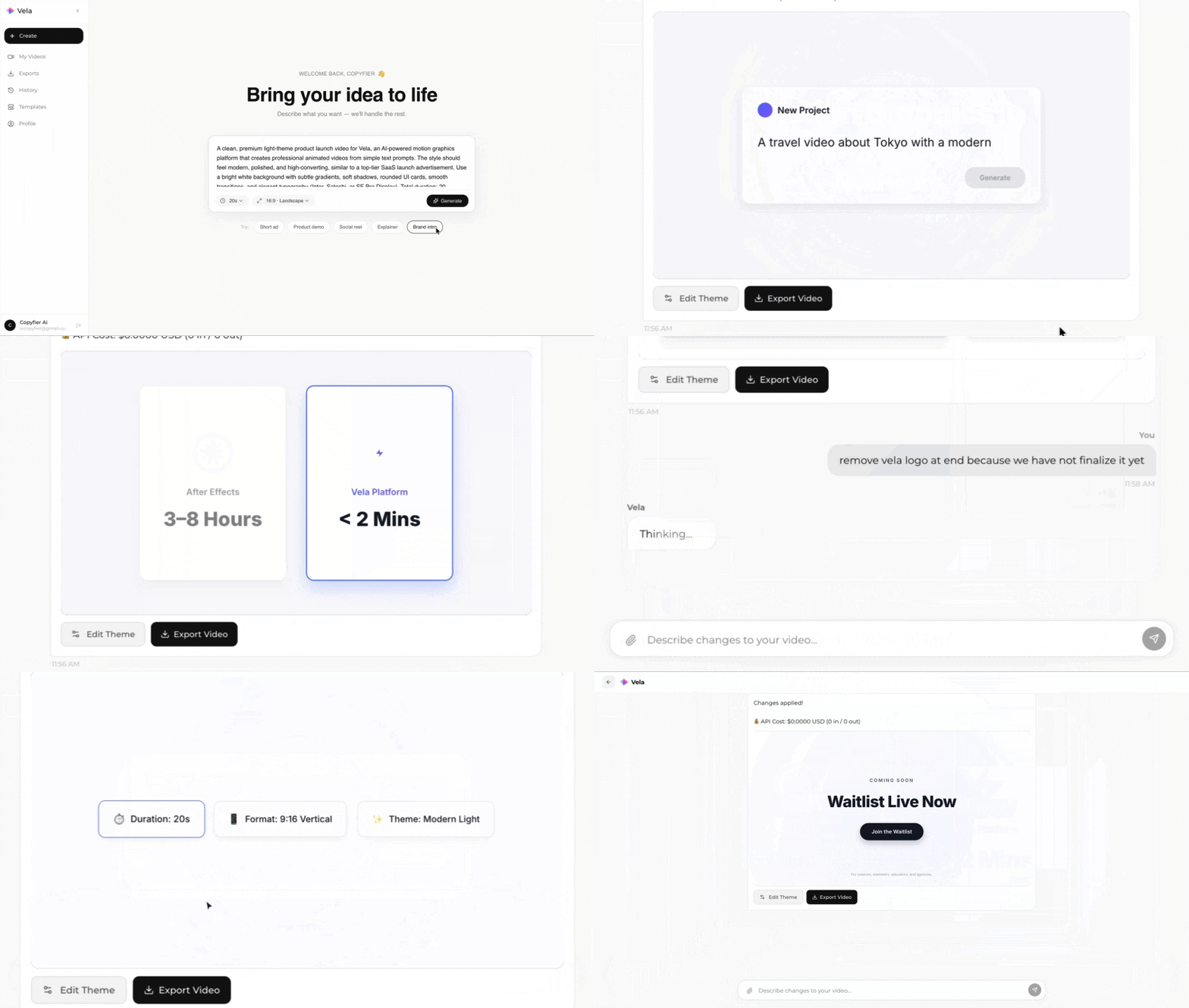
Type what you want. Vela creates the motion graphic. Refine by chatting.
Made with Vela
SaaS
SaaS Launch
Data Viz
Map Animation
Explainer
Explainer