How to Create an Animated SaaS Product Demo Video
Step-by-step guide to creating animated SaaS product demo videos that explain your software and convert viewers into users.
Vela Team
Published · October 9, 2026
Why SaaS Demos Need Motion Graphics
Nobody wants to watch a 10-minute screen recording. Animated SaaS demos distill your product into a clear, engaging 30 to 60 second video. They highlight features, show workflows, and explain value — without boring your audience.
What to Include in Your Demo Video
- The core problem your software solves — stated in the first 5 seconds
- A visual walkthrough of the key workflow or feature
- Animated UI mockups showing the product in action
- Social proof — user count, ratings, or testimonial quotes
- A strong CTA — start free trial, book a demo, sign up today
How to Build One Without Screen Recording
With Vela, describe your product and what you want to show. The AI generates animated scenes with smooth transitions, text overlays, and motion effects. You get a polished demo video without recording your screen or editing footage.
Best Practices for SaaS Demo Videos
- Keep it under 60 seconds — attention spans are short
- Focus on benefits, not features — show what users achieve
- Use your brand colors and fonts for consistency
- Add captions — most social videos are watched on mute
- End with a single, clear call to action
Where to Use Your Demo
Put your demo video on your landing page above the fold, in email campaigns, on Product Hunt launches, in LinkedIn ads, and on your pricing page. A good demo video can increase conversion rates by 20 to 30 percent.
How it works
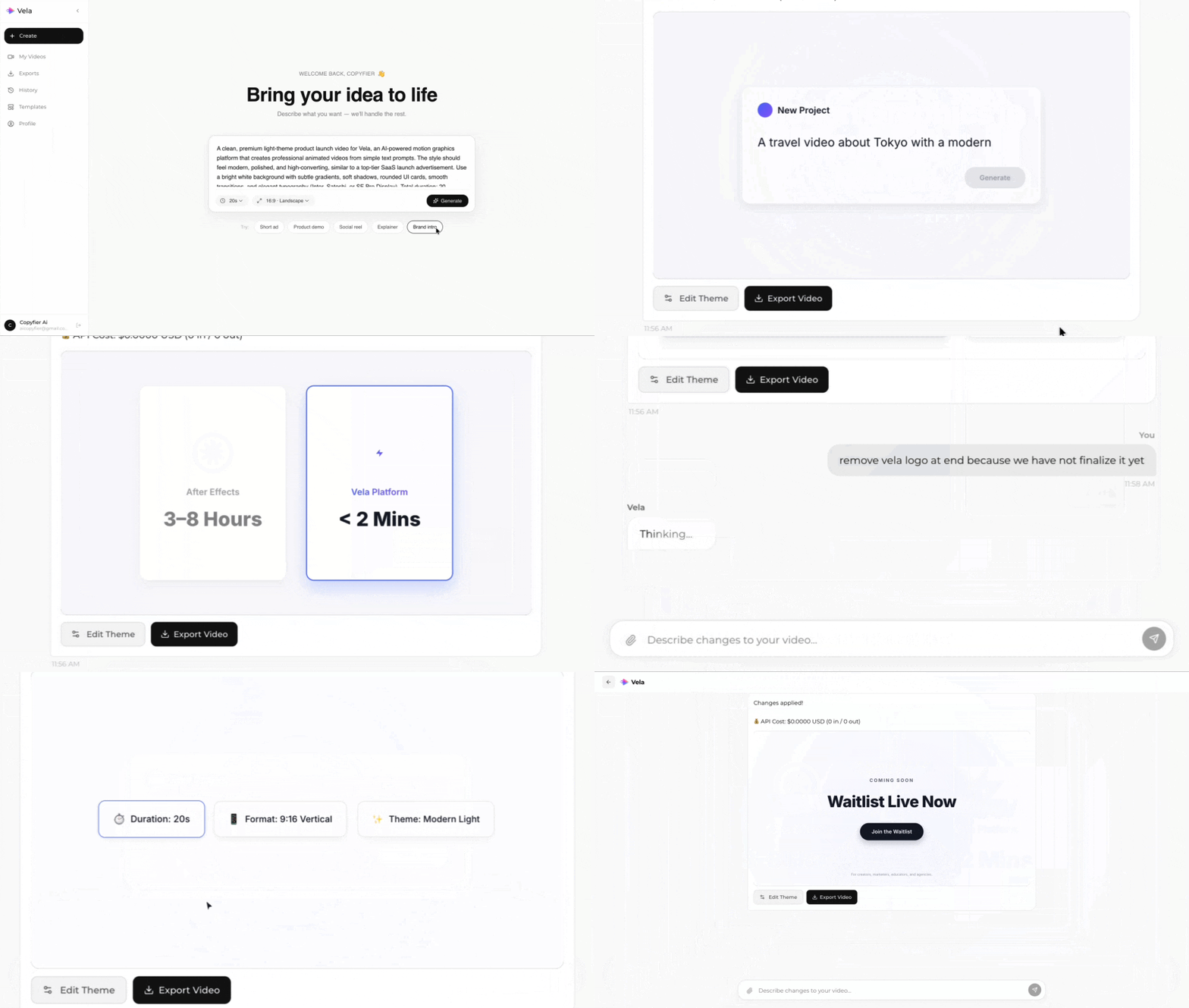
Type what you want. Vela creates the motion graphic. Refine by chatting.
Made with Vela
SaaS Launch
Map Animation
Explainer